
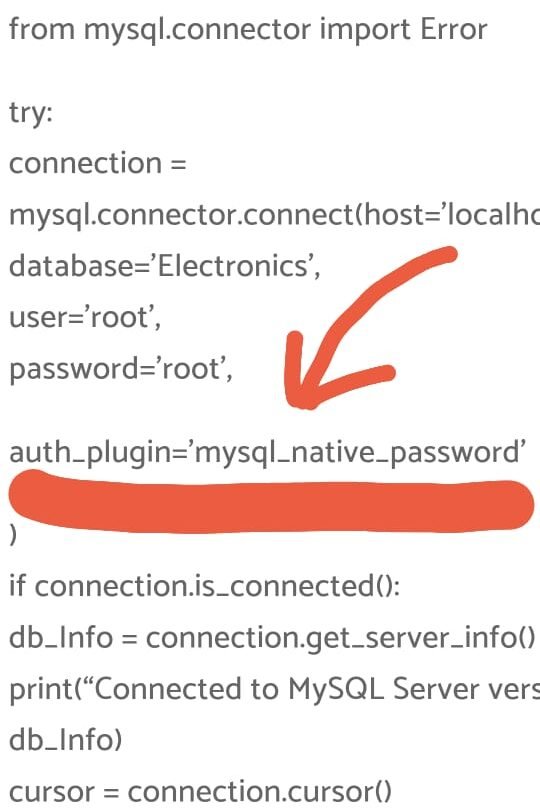
import mysql.connector
from mysql.connector import Error
try:
connection = mysql.connector.connect(host=’localhost’,
database=’Electronics’,
user=’root’,
password=’root’,
auth_plugin=’mysql_native_password’
)
if connection.is_connected():
db_Info = connection.get_server_info()
print(“Connected to MySQL Server version “, db_Info)
cursor = connection.cursor()
cursor.execute(“select database();”)
record = cursor.fetchone()
print(“You’re connected to database: “, record)
except Error as e:
print(“Error while connecting to MySQL”, e)
finally:
if connection.is_connected():
cursor.close()
connection.close()
print(“MySQL connection is closed”)
Why Does the “Authentication plugin ‘caching_sha2_password’ is not supported” Error Occur?
To understand why this error arises, let’s walk through an example scenario by creating a sample users table for reference.
CREATE TABLE users (
  id INT PRIMARY KEY AUTO_INCREMENT,
  name VARCHAR(50)
);

INSERT INTO users (name) VALUES
  ('John'),
  ('Sarah'),
  ('Peter');
When attempting to connect to this database using the mysql-connector library in Python, you might encounter the following issue:
import mysql.connector

mydb = mysql.connector.connect(
  host="localhost",
  user="myuser",
  password="mypass"
)
Error:
mysql.connector.errors.NotSupportedError: Authentication plugin 'caching_sha2_password' is not supportedWhy Does This Happen?
This error occurs because MySQL version 8.0 and later uses a more secure password authentication method called caching_sha2_password for new user accounts. However, the mysql-connector library in Python does not support this updated authentication plugin. It only supports the older mysql_native_password plugin used in earlier MySQL versions. Consequently, the mismatch between the MySQL server’s authentication plugin and the one supported by the mysql-connector causes the connection to fail.
How to Fix the “Authentication plugin ‘caching_sha2_password’ is not supported” Error
There are several ways to resolve this error:
1. Change User Authentication Plugin in MySQL
You can switch the authentication plugin used for your MySQL user account to mysql_native_password:
ALTER USER 'myuser'@'localhost' IDENTIFIED WITH mysql_native_password BY 'mypass';Now, your Python code will successfully connect:
import mysql.connector

mydb = mysql.connector.connect(
  host="localhost",
  user="myuser",
  password="mypass"
)

print(mydb)  # <mysql.connector.connection_cext.CMySQLConnection object>
Note: This method lowers security because mysql_native_password is less secure than caching_sha2_password.
2. Use the mysql-connector-python Library
A better approach is to use the mysql-connector-python library, which supports the caching_sha2_password plugin.
- First, uninstall the
mysql-connectorpackage:
pip uninstall mysql-connector- Then, install
mysql-connector-python:
pip install mysql-connector-pythonNow, your connection code will work without compromising security:
import mysql.connector

mydb = mysql.connector.connect(
  host="localhost",
  user="myuser",
  password="mypass"
)

print(mydb)  # <mysql.connector.connection_cext.CMySQLConnection object>
Recommendation: This approach maintains MySQL’s enhanced security features.
3. Specify the Authentication Plugin in the Connection Call
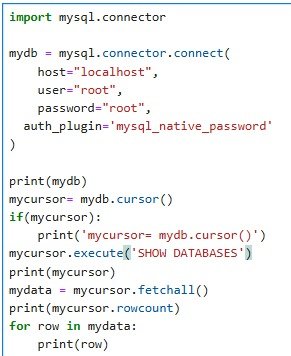
You can also specify the mysql_native_password plugin explicitly when connecting:
import mysql.connector

mydb = mysql.connector.connect(
  host="localhost",
  user="myuser",
  password="mypass",
  auth_plugin='mysql_native_password'
)
Warning: This method is not recommended as it uses a less secure authentication plugin.
Comparing the Solutions
| Solution | Security | Extra Steps | Compatibility |
|---|---|---|---|
| Change MySQL User Auth Plugin | Compromised | Run ALTER USER | Yes |
Use mysql-connector-python | Intact | Install library | Yes |
| Specify Auth Plugin in Code | Compromised | None | Yes |
Real-World Example: Connecting a Flask App to MySQL
Consider a Flask application that needs to connect to MySQL:
Error-Prone Code:
from flaskext.mysql import MySQL

mysql = MySQL()

app = Flask(__name__)
# MySQL configurations
app.config['MYSQL_DATABASE_USER'] = 'myuser'
app.config['MYSQL_DATABASE_PASSWORD'] = 'mypass'
app.config['MYSQL_DATABASE_DB'] = 'mydb'
app.config['MYSQL_DATABASE_HOST'] = 'localhost'
mysql.init_app(app)

conn = mysql.connect()  # ERROR!
Solution:
Switch to using mysql-connector-python:
import mysql.connector

mysql = MySQLconnector()

app = Flask(__name__)
app.config['MYSQL_HOST'] = 'localhost'
app.config['MYSQL_USER'] = 'myuser'
app.config['MYSQL_PASSWORD'] = 'mypass'
app.config['MYSQL_DB'] = 'mydb'

mysql.init_app(app)

conn = mysql.connect()  # Works!
Summary
- The error arises due to a mismatch between the MySQL plugin and the Python MySQL connector.
- Using
mysql-connector-pythonis the best solution to maintain security. - Changing the plugin in MySQL works but compromises security.
- Explicitly specifying the
mysql_native_passwordplugin is possible but not recommended due to security vulnerabilities.
By understanding these solutions, you can effectively establish secure connections from Python to MySQL databases.